What Restaurants Should Know About Digital Accessibility and Data Privacy

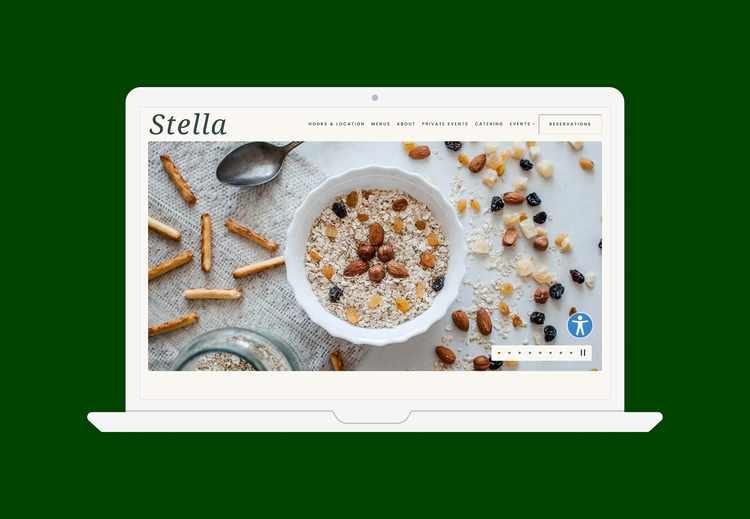
See the nine features restaurant websites need to promote accessibility and privacy
It’s no secret that a strong digital presence is a must-have for any restaurant in today’s world. In fact, over 75% of dinerscheck a restaurant’s website before visiting, according to Restaurant Dive.
As restaurants increasingly conduct business both online and on-premises, it’s critical for operators to understand their regulatory compliance obligations in the digital sphere. Digital accessibility and data privacy have emerged as especially important areas, where the compliance landscape is evolving quickly and the costs of non-compliance can be steep.
We often think of accessibility primarily as a consideration for physical locations, but restaurant websites are also required to comply with certain standards. In fact, the number of costly, time-consuming web accessibility-related lawsuits is skyrocketing. Meanwhile, state legislatures have enacted a wave of data privacy bills in response to consumer demand for more information and control over how their personal information is used.
“Accessibility can feel overwhelming, but it’s essential to a successful website. At Clover, we guide our clients with the expertise and context they need to get it right.” — Kai Malowany, Customer Solutions Engineer at Clover
The cost of an inaccessible or insecure web presence can go far beyond monetary penalties. A restaurant also risks alienating customers who are unable or unwilling to engage with them online—which makes compliance a profitability consideration as well. For all these reasons, finding seamless web accessibility and cookie management solutions is a key ingredient to restaurant success.
Understanding ADA and Digital Accessibility
The Americans with Disabilities Act (ADA) is a federal law that was passed in 1990 to ensure that people with disabilities have the same rights and opportunities as everyone else, including how they access websites and other digital experiences.
Cookie consent is the process websites use to request permission to collect, use, and store visitor data through cookies and tracking tech. This is typically done through a pop-up or banner alert where users can accept, reject or customize tracking settings to comply with privacy laws such as General Data Protection Regulation (GDPR) and California Consumer Privacy Act (CCPA).
Digital/web accessibility enables users with disabilities to navigate, understand, and interact with the digital content that appears in nearly every facet of daily life. A restaurant is ultimately responsible for the accessibility of its website, as well as the content of third-party services its website hosts.
Web Accessibility Technology Helps Restaurants
1. Better serves every customer. Accessible content improves engagement, helping diners complete important tasks like checkout for gift cards and merchandise, or form fills for private event inquiries.
2. Reduces exposure to lawsuits. ADA related lawsuits targeting restaurants have been on the rise, and the cost to settle a lawsuit for restaurants can be more than $20,000.
3. Strengthens brand reputation. Reduce brand risk and improve reputation by showing support for key initiatives like diversity, equity, inclusion, and belonging.
4. Boosts online visibility. Accessible websites are easier for search engines and voice experiences to index, boosting discoverability and SEO.
9 Must-Have Features for Web Accessibility and Compliance
Here are some suggestions to help your restaurant website stay digitally accessible:
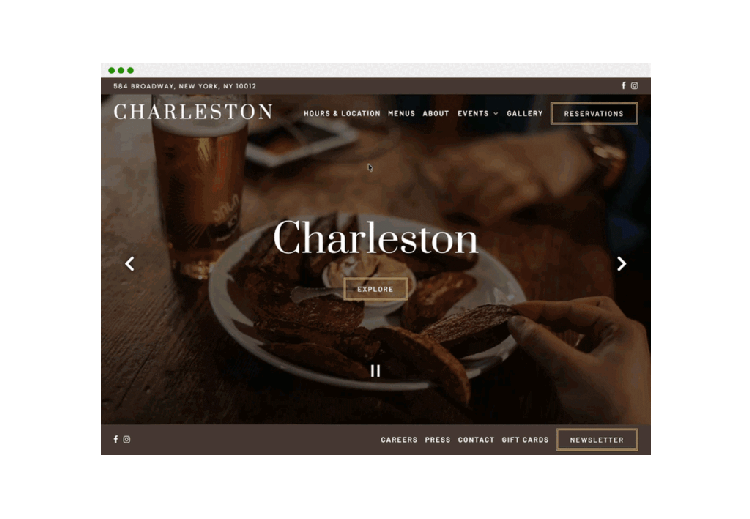
1. Keyboard Navigation
Keyboard accessibility means that every interactive element, such as links and form controls, are accessible with the Tab key. This is how keyboard-only users navigate web pages and is essential to web accessibility.
Tip: Test for keyboard navigation by going to your homepage from desktop and clicking the “tab” navigation. Does this highlight your main navigation? If not, ask your website provider, agency, or platform about tab navigation.
2. Text-based Menus
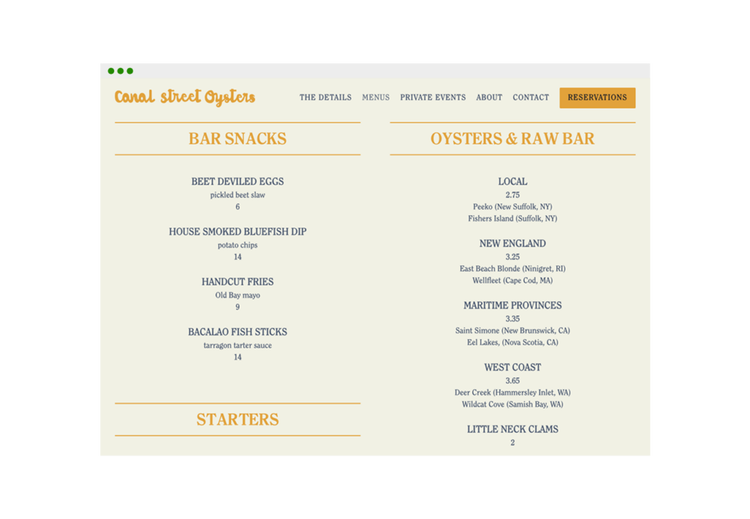
Text-based menus are easily scannable by screen readers and are essential in having a website that is digitally accessible. This is also a best practice for SEO as Google prefers text-based menus over PDFs or images, which it cannot scan or read.
Tip: Instead of using PDFs or images of your menus, use a website partner that prioritizes text-based menus over others.
3. Accessibility Toolbar
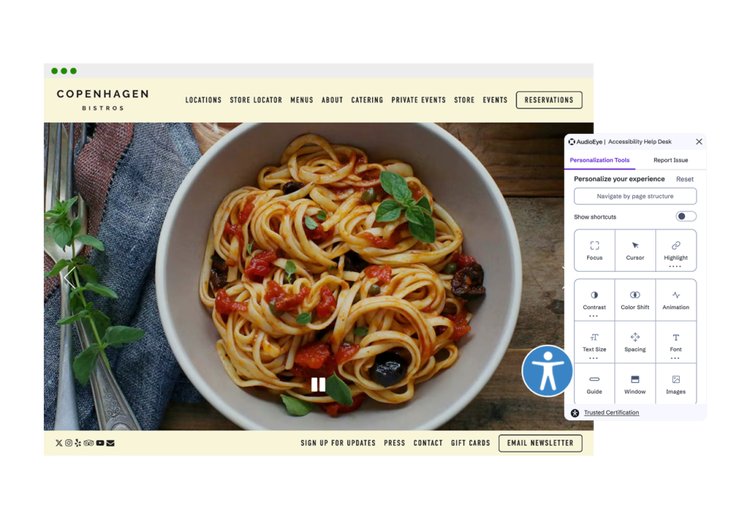
A toolbar is a set of buttons that controls certain functions on your screen and enhances site usability for visitors. This is essential for guests who need assistance adjusting text size, spacing, or color contrast and have an audio playback option. Toolbars should never interfere with the existing design or negatively affect good user experiences. ADA, powered by AudioEye, includes a comprehensive toolbar as part of Clover’s branded website solution. In the lower right corner in the image below, there’s a blue circle icon with a white person in the center — that’s the accessibility toolbar.
Tip: Accessibility toolbars can vary on cost, functionality, and more. Ensure you’re partnering with the right company by doing research on its functions and reliability within the space before making a decision.
4. Play/Pause Button
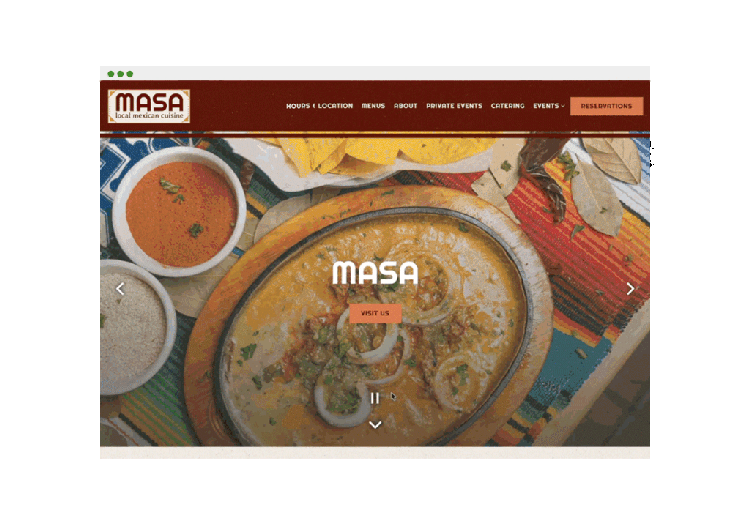
For embedded video content or image carousels, users should have an easily visible play/pause button. Here’s a great example below.
Tip: If you’re using embedded video or image carousels that are set to autoplay when visiting your site, make sure your web development partner has a solution to allow for a visible play/pause button.
5. Descriptive Hyperlinks
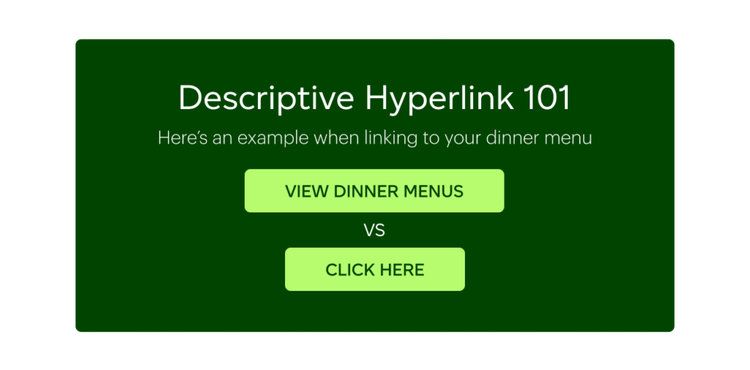
When creating links to pages or other sources, the anchor text in the hyperlink should be descriptive. Not only does this assist in web accessibility, but this also helps improve SEO. Descriptive anchor text is preferred over more generic text. Here’s an example — when linking to a menu page: “View our menus” instead of “click here.”
Tip: To find if your site has non-descriptive links, search in Google: site:[your domain] “click here”.
6. Accessibility Statement
Restaurants should include an accessibility statement in a corresponding link at the footer of their web page with contact information if needed. This shows your ongoing commitment to improving your website’s experience and accessibility to users.
Tip: There are numerous examples of Accessibility Statements online, including on many restaurant websites. Consult with a lawyer on the language if writing one for yourself or partner with a company that provides this for you.
7. Certification Stamp
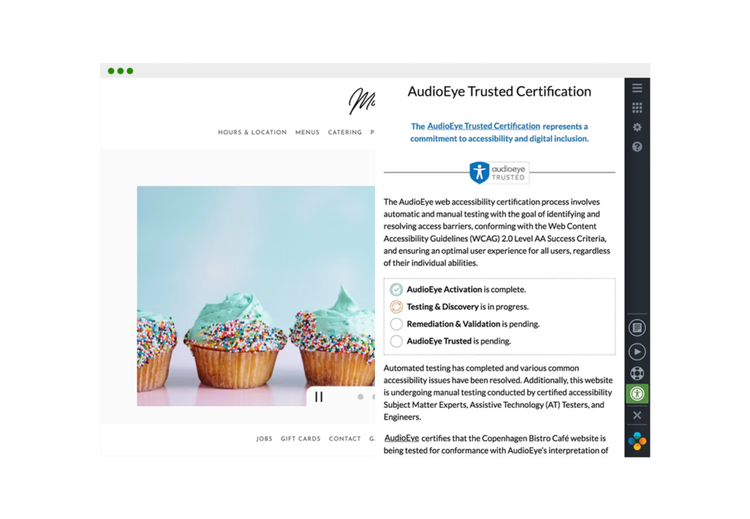
Your website should include a visible stamp from a well-known accessibility partner. There are a host of companies that offer automated accessibility solutions to your website; however, some don’t offer certification stamps. Ensure whomever you partner with provides a stamp of certification to indicate that they’re providing accessible solutions for users. ADA provides this for all users.
Tip: Contact your accessibility partner and ask how many lawsuits they’ve had for customers with the stamp on their site. It should be close to none. Use this information to decide on your options.
8. Cookie Consent Management
The escalation of data privacy lawsuits has impactednot only large restaurant chains,but also smaller independent operations. Unlike major chains, most operators don’t have the deep pockets required to fight lawsuits—putting profits or even the business itself on the line.
To make matters more difficult, state-level data privacy laws are constantly changing, with three statesintroducing comprehensive regulations this year alone. A focus of these laws is ensuring consumers are informed of and consent to a business’s data collection practices, which often take the form of “cookies”: small text files containing bits of personal data used to customize a visitor’s site experience. To stay in step with requirements, savvy restaurant owners have begun to enlist cookie consent management solutions to add a layer of protection.
These solutions also benefit website visitors, which enable them to easily manage their own cookie preferences for a smoother—and more secure—browsing experience.
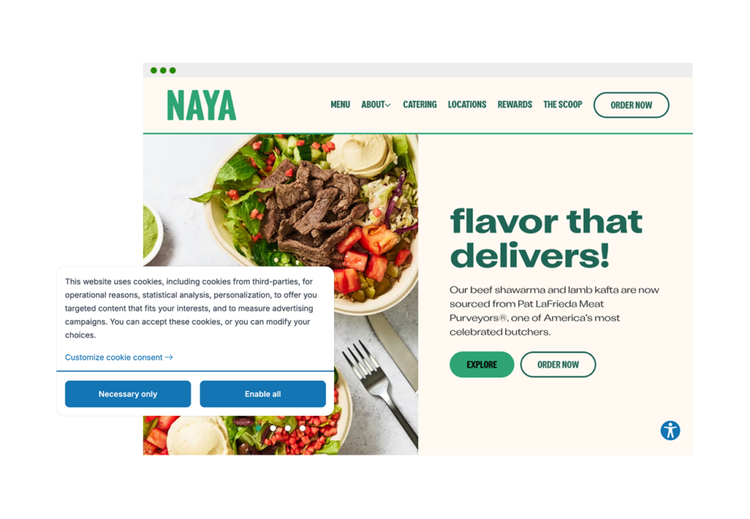
Key cookie consent management capabilities include:
- Always-on monitoring with cookie consent scanning support. The cookie consent management tool should automatically detect and categorize cookies as functional, analytic, marketing or essential to enable operators to stay in accordance with digital data privacy laws.
- Promote compliance with international regulations for cookie consent such as GDPR, CCPA, and more.
- Present website visitors a user-friendly single modal that allows them to opt in or out of cookie collection so that web visitors can set their own preferences regarding which cookies are allowed to load.
- A banded display banner that matches your restaurant’s online brand identity for consistency.
9. Monitoring and Maintenance
It’s impossible to stay on top of every change or update to your restaurant’s website, especially as a time-constrained operator. This makes real-time, 24/7 monitoring and maintenance a necessity. Clover’s branded website solution utilizes a combination of automation and human expertise to identify and fix common issues, such as generic text or missing alternative text. Our Cookie Consent Management solution also uses automation to detect and categorize cookies as functional, analytic, marketing or essential to help you to reduce the risk of non-compliance.
Tip: Partner with a company that offers both automatic and manual remediation, so you can enjoy always-on support while also having the option to escalate if you need it.
Features That Hurt Web Accessibility
While there are many items that can ensure that your website is more accessible, there are also four features that restaurant websites should avoid.
1. PDF Menus
While it may seem like uploading PDF menus saves time and effort, it’s actually working to your disadvantage. Guests have to download the PDF on their computer, and if on mobile, pinch and zoom to view items. This can negatively affect the guest experience. It’s also worth noting that screen readers cannot read images or certain PDFs if they are not created with accessibility in mind, which means you’re not providing an accessible experience to those who need it.
Tip: Use a website provider that recommends and converts your PDF menu to text. This shows they’re on top of ADA guidelines.
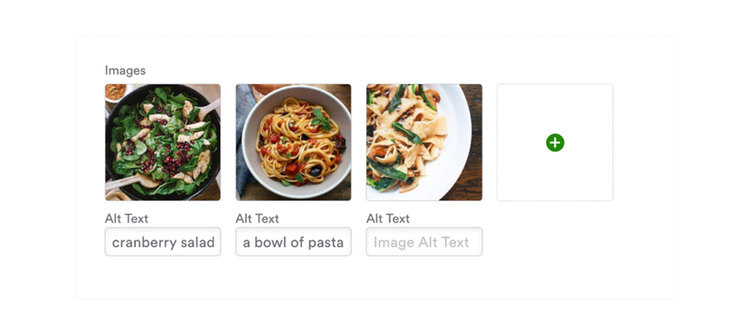
2. Alternative Text (Alt Text) Missing from Images
Missing alt text on images is highly common across the internet. Most people don’t know how or why it’s essential for accessibility as well as SEO. Images with alt text describing the image can be read by assistive technology and relayed to the user.
3. Using Third-Party Partners That Aren’t Accessible
Having a website that meets all of the requirements under the Web Content Accessibility Guidelines (WCAG) is already difficult enough. Many of the website-related lawsuits stem from linking out to third parties that you partner with, such as online ordering or delivery services. Partner with like-minded companies that are providing web accessibility to their customers and guests.
Tip: Contact your third-party partners and ask for documentation on what they’re doing to become more accessible. Document your exchanges so that you can provide them in the case of any legal litigation.
What To Do Next
Navigating the world of ADA and digital accessibility is confusing, so it’s important to partner with the right team. Clover has tailored restaurant solutions that enable busy operators to spend less time navigating constant regulatory changes by enabling them with a robust portfolio of website solutions that help them stay on top of ever-changing accessibility and privacy standards. With set-it-and-forget-it cookie consent and digital accessibility capabilities, owners gain peace of mind so that they can focus on what’s important: serving their guests.
Stay in touch
Sign up and learn more about Clover.
More posts about starting a small business




Related Posts

Start a small business